
Best Way to Document Recurring Team Knowledge with AI: A Simple Workflow for Busy Teams

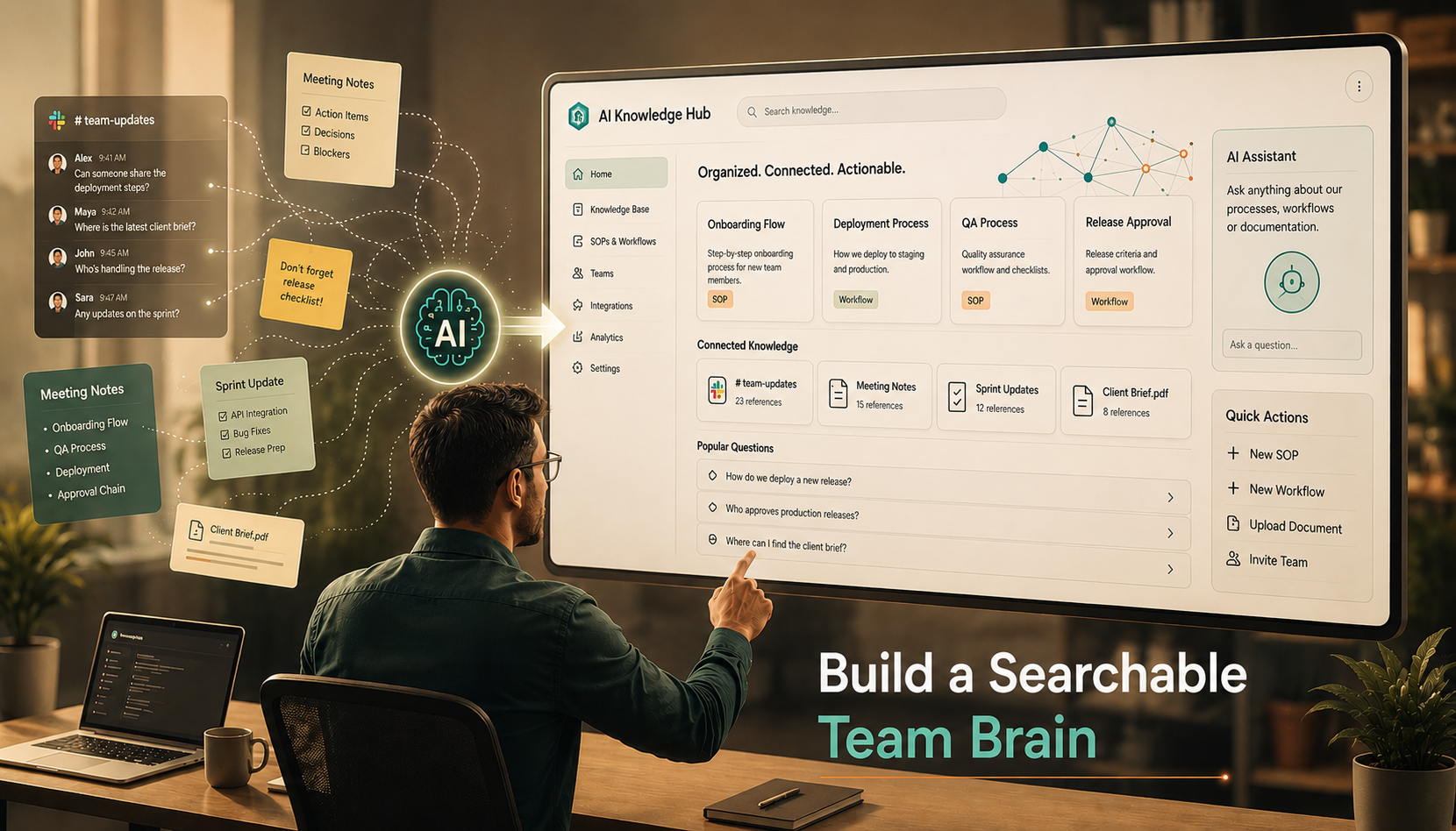
Table of Contents
- Why recurring knowledge keeps getting lost
- What teams should document first
- A simple AI knowledge workflow
- Where light tools fit
- Common mistakes to avoid
- Final takeaway
If your team keeps answering the same question in Slack, repeating the same explanation in meetings, or searching old threads for one decision, you do not have a knowledge problem. You have a workflow problem.
That distinction matters.
Most teams do try to document things. They write meeting notes. They save links. They create folders. They start a wiki. But recurring knowledge still gets lost because nobody owns the flow from “this came up again” to “this is now documented, searchable, and usable.”
The best way to document recurring team knowledge with AI is not to ask AI to write everything for you. It is to use AI inside a lightweight system that captures repeated questions, turns them into clean documentation, and keeps that documentation easy to update.
Why recurring knowledge keeps getting lost
Recurring team knowledge usually hides in five places:
- Slack or Teams answers
- Meeting notes
- Jira comments or task discussions
- Onboarding explanations
- One person’s head
The real problem is not lack of information. It is lack of structure.
A team may already know how to handle release checklists, bug triage, stakeholder updates, handoff rules, or common customer requests. But if that knowledge lives only in conversations, every new teammate pays the same learning tax again.
That creates three costs at once:
- Senior people keep answering the same thing
- New team members stay blocked longer
- Decisions get made without shared context
This knowledge fragmentation is also one of the core reasons communication plans fail in software teams — when nobody defines what must be written down or where it lives, context leaks everywhere.
What teams should document first
Do not start with everything. Start with repeated friction.
The best documentation candidates are the topics that meet at least two of these conditions:
- Someone answers them every week
- A new joiner usually asks about them
- A mistake happens when the answer is unclear
- The answer affects speed, quality, or alignment
- The process changes just enough to need updating
A strong starting list looks like this:
- How we write bug tickets
- How we prepare sprint handoff
- How we escalate blockers
- How we share release updates
- How we run recurring client or stakeholder reports
- How we onboard a developer into project context
This is where many teams fail. They document high-level theory first, when they should document recurring operational reality first.
A simple AI knowledge workflow
Here is the workflow I would recommend for most software or project teams.
Step 1: Capture repeated questions
Create one intake place for recurring knowledge. It can be a simple page, form, or backlog called “Document This Again.”
Every time the same question shows up twice, add it.
Sources can include:
- Slack or Teams threads
- Standup questions
- Sprint retro notes
- Onboarding issues
- Repeated stakeholder confusion
The rule is simple: if it repeats, it qualifies.
Step 2: Group by knowledge type
Do not dump everything into one long doc. Tag each item into a small set of buckets:
- Process
- Decision
- FAQ
- Troubleshooting
- Onboarding
- Template
This makes your future knowledge base easier to search and maintain.
Step 3: Use AI to create the first draft
Now AI becomes useful.
Feed AI the raw thread, the meeting notes, or the existing explanation and ask it to convert the content into:
- A clean title
- A short summary
- Step-by-step instructions
- Required links or owners
- A “when to use this” section
AI is great for turning messy inputs into a first draft. It is not great as the final owner of truth.
Step 4: Human review before publishing
A team lead, PM, ops owner, or domain owner should review the draft before it becomes official.
This is the step people skip, and that is why low-trust documentation piles up.
The goal is not perfect writing. The goal is trusted guidance.
Step 5: Publish in one searchable home
Your final version should live in one clear source of truth, not in random PDFs, long chat threads, or personal notes.
Atlassian recommends using shared spaces, templates, labels, search terms, analytics, and multiple approvers to keep knowledge bases easy to find and maintain over time.Knowledge Management
It also recommends regular upkeep, shared visibility, concise structure, and updating knowledge in shared spaces rather than private channels.Knowledge Sharing
Step 6: Add a review trigger
Documentation dies when it has no maintenance rule.
Add one of these:
- Review every 30 or 60 days
- Review when the process changes
- Review when a related incident happens
- Review when a new owner takes over
If nobody owns the refresh cycle, the team stops trusting the knowledge base.
Where light tools fit
You do not need a heavy tool stack to make this work. You need one home, one capture habit, and one review owner.
Here is the simple way to think about it:
| Tool layer | Best fit | Why it works |
|---|---|---|
| Confluence | Teams that want structured documentation spaces | Atlassian emphasizes templates, labels, approvals, and review practices for managing shared knowledge well. |
| SharePoint + Teams | Companies already operating inside Microsoft 365 | Microsoft describes SharePoint as a structured knowledge repository, and Teams integrations can search conversations and support broader workflow automation. |
| Notion + AI | Teams that want docs, tasks, and databases in one place | Notion AI works directly inside pages, docs, tasks, and databases, and its Teams connector can search discussions and meeting summaries. Meet your AI Team |
If your company already lives in Microsoft 365, using SharePoint as the repository and Teams as the access layer is the most natural lightweight setup.
If your team already writes in Notion, keeping documentation, operating notes, and AI drafting in the same workspace reduces tool switching.
If your org needs stronger documentation structure and governance, Confluence is a more natural fit when you standardize templates, labels, and review rules.
Once your documentation is clean and centralized, tools like CustomGPT.ai inside a lean AI stack can turn that knowledge base into an always-on internal assistant that answers team questions automatically.
Common mistakes to avoid
The first mistake is documenting everything.
The second is documenting without ownership.
The third is asking AI to generate polished articles nobody will maintain.
A better approach is this:
- Document what repeats
- Keep the format simple
- Assign an owner
- Let AI draft, summarize, and clean
- Let humans validate
- Review on a schedule
That is how documentation becomes operational, not decorative.
Final takeaway
The best way to document recurring team knowledge with AI is to build a repeatable loop: capture repeated questions, draft with AI, review with a human, publish in one searchable place, and revisit it on a clear trigger.
AI should reduce the friction of documentation. It should not become another pile of content your team ignores.
When the workflow is right, your team stops answering the same thing ten times and starts building a system that gets smarter every month. And before you scale that documentation into automation, make sure your workflows are stable enough — premature automation of unclear processes is one of the most common traps teams fall into. See Why Early AI Automation Fails for the full breakdown.