AI Tools for Project Managers: Build a Lean Stack That Actually Works

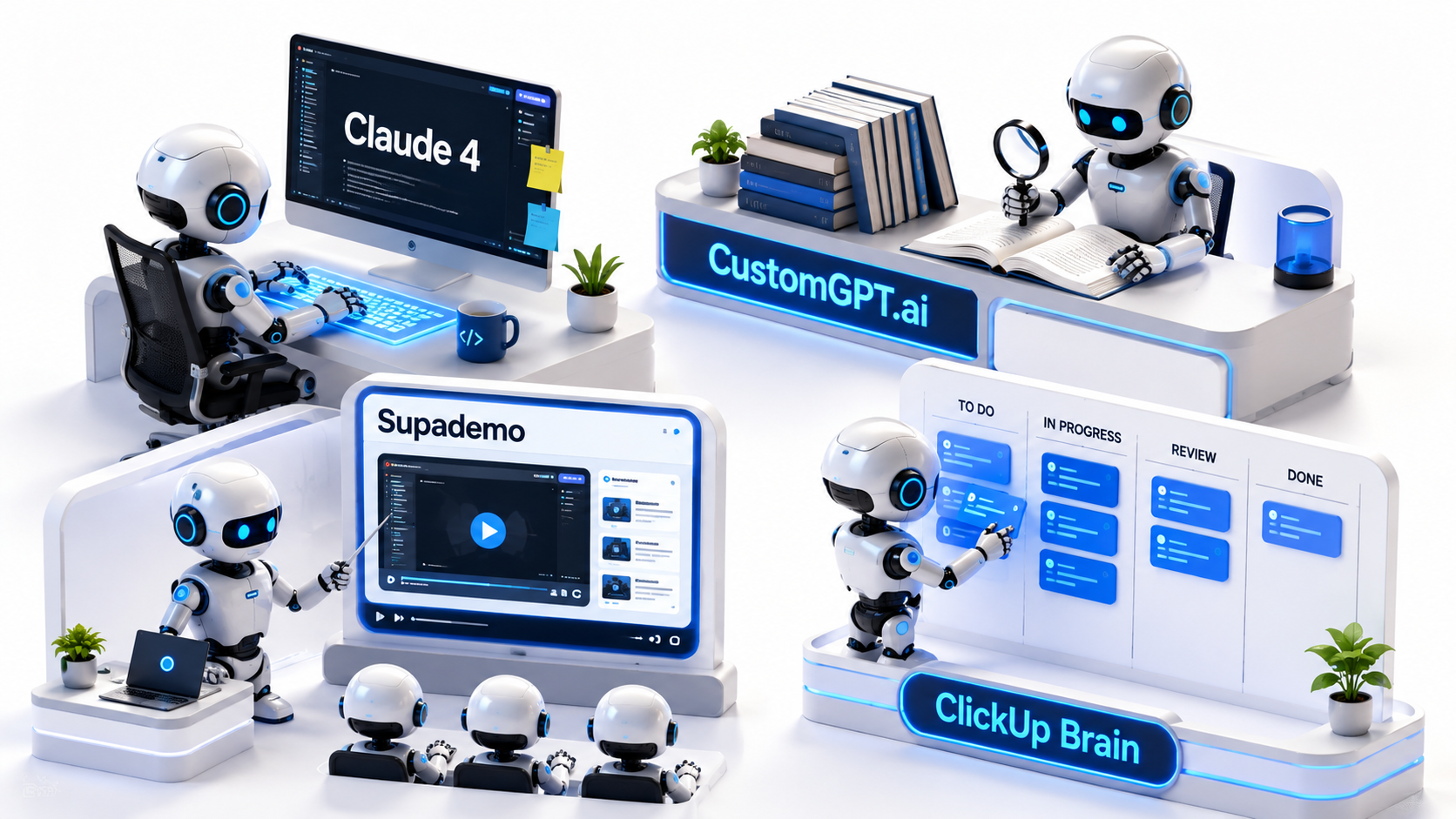
Table of Contents
- Why More AI Tools for Project Managers Isn’t Better
- Core LLM: Claude 4 vs GPT-5
- Tool 2: CustomGPT.ai
- Tool 3: Supademo
- Tool 4: ClickUp Brain
- The Lean Verdict
Why More AI Tools for Project Managers Isn’t Better
Software teams are currently drowning in artificial intelligence. While the market is flooded with AI tools for project managers, adopting too many applications simultaneously creates the exact opposite of speed. It generates AI sprawl, leading to severe workflow friction, scattered documentation, and team confusion.
This phenomenon often starts as “shadow AI” within a team. A developer buys a coding assistant, a designer uses an AI image generator, and the project manager tests an automated note-taker. Suddenly, the project’s operational context is fragmented across six different subscriptions. When a project manager deploys a different AI solution for meeting notes, ticket writing, email drafting, and roadmap planning, the team loses its single source of truth. Developers end up spending more time context-switching between fragmented interfaces than they do writing actual code.
A sharp project management workflow requires ruthless consolidation. The goal is not to use the highest number of tools; the goal is to build a lean, high-signal stack that actively removes administrative bottlenecks. Instead of layering software on top of broken processes, modern PMs must select a tightly integrated core of applications. This approach reduces cognitive load, lowers subscription overhead, and forces teams to standardize how they communicate. Below is a structured breakdown of a lean AI stack, designed to eliminate noise and accelerate execution.
If your team is already struggling with communication overhead, the root cause is often structural — read 7 Reasons Why Communication Plans Fail in Software Teams before adding more tools to the stack.
Core LLM: Claude 4 vs GPT-5
Every lean stack requires a foundational Large Language Model (LLM) to handle heavy analytical lifting. Rather than buying dedicated, single-use AI wrappers for writing product requirement documents, drafting release notes, or summarizing technical constraints, a proficient PM can execute these tasks directly within a core LLM. This becomes your analytical anchor.
By centralizing these ad-hoc tasks into one powerful model, you eliminate the need for half a dozen micro-subscriptions. As of May 2026, the debate for software teams usually comes down to the two heavyweights: Anthropic’s Claude 4 (specifically Opus 4.7 or Sonnet 4.6) and OpenAI’s GPT-5 tier (GPT-5.4 or GPT-5.5). For project managers, the defining factor is whether you need deep contextual coding accuracy or broader agentic execution.
| Angle | Claude Sonnet 4.6 / Opus 4.7 | OpenAI GPT-5.5 |
|---|---|---|
| What it is | High-context analytical models | Autonomous, agentic execution model |
| Best for | Complex PM documentation, software engineering tasks, and code logic | Agentic workflows, autonomous tool use, and multi-step problem solving |
| Strengths | Superior coding benchmarks, nuanced writing, extended task horizons | Stay on task, native internet search, strong reasoning |
| Weaknesses | Less interactive agent-loop behavior | Hallucination tendencies |
| Pricing/value | $20/month (Pro tier) | $20/month (Plus/Pro tier) |
| Best alternative | GPT-5.5 | Claude Opus 4.7 |
If you manage complex software architecture, Claude 4’s massive context window and coding dominance allow you to upload an entire repository of requirement documents and extract perfectly formatted sprint tickets. GPT-5.5 remains incredibly strong for autonomous tasks and tool use, but for deep, prolonged software engineering focus without distraction, Claude currently leads.
Verdict: Claude 4 is the superior choice for software PMs handling complex technical documentation, while GPT-5.5 wins for agentic autonomy.
Tool 2: CustomGPT.ai
Constantly answering the same questions in Slack is a massive drain on a project manager’s time. We call this the “Slack tax”—the hours lost every week pointing developers to the correct API documentation, reminding stakeholders of the launch date, or tracking down the right design file. When evaluating AI tools for project managers, finding one that eliminates the Slack tax is critical. CustomGPT.ai solves this specific operational bottleneck.
Instead of acting as a human router, PMs can use CustomGPT.ai to ingest their Jira tickets, Notion wikis, and technical documentation to create a secure, internal knowledge bot. When a developer asks a question, the bot instantly retrieves the answer based solely on your proprietary data, providing exact citations so the team trusts the output. This pairs naturally with the best practices for documenting recurring team knowledge with AI — the cleaner your documentation, the more powerful CustomGPT.ai becomes.
- Best for: Eliminating repetitive team questions and onboarding friction.
- Why it stands out: It indexes proprietary company data securely and surfaces exact citations from internal documents to prevent hallucinations, while offering SOC 2 Type II compliance.
- Main drawback: Requires meticulous upfront data cleaning; feeding it outdated wikis will result in incorrect answers.
- Ideal user: Technical PMs managing highly complex projects with heavy, scattered documentation.
- Worth it if: Your senior developers and PMs waste hours searching for historical project context.
- Skip it if: Your team is small enough that direct communication is still highly efficient.
Verdict: A necessary tool for eliminating the Slack tax and protecting deep work with verified internal citations.
Tool 3: Supademo
Explaining a new feature to stakeholders or onboarding a developer onto a new workflow typically requires a 30-minute Zoom call. This creates meeting inflation. Calendars fill up with synchronous walkthroughs that could easily have been handled asynchronously, draining momentum from the sprint.
Supademo replaces that friction with an interactive, AI-driven product walkthrough. It allows you to “show” rather than “tell.” You simply click through the software as you normally would, and the AI automatically captures the screens, generates text instructions for each step, and builds a clickable prototype. This allows stakeholders to experience the update on their own time, clicking through the exact user journey.
- Best for: Asynchronous product updates and visual bug reporting.
- Why it stands out: It automatically captures screen clicks and uses AI to generate precise text instructions for each step in seconds.
- Main drawback: Limited video editing capabilities compared to heavy-duty production software.
- Ideal user: Product managers who need to bridge the gap between engineering and non-technical stakeholders.
- Worth it if: You suffer from severe meeting fatigue and want to shift to async stakeholder updates.
- Skip it if: Your updates are purely strategic and do not require visual interface demonstrations.
Verdict: The fastest way to kill unnecessary alignment meetings and improve async handoffs.
Tool 4: ClickUp Brain
Task management platforms are notoriously difficult to keep updated. Sprints inevitably decay into chaotic boards full of stale tickets, unassigned subtasks, and missing status updates. The project manager is then forced to become a micro-manager, chasing engineers for daily progress reports and manually connecting the dots.
ClickUp Brain attacks this friction by integrating AI natively into the sprint board itself. It connects tasks, documents, and team communication without requiring a fragile third-party automation plugin. Because it reads the activity inside the tickets, it can automatically generate standup summaries, instantly revealing what is blocking the team and who is overloaded. For teams looking to eliminate overlapping tool subscriptions, ClickUp replaces Asana, Toggl, and Notion effectively. This is also one of the top AI tools PMs use to stop rewriting status updates.
- Best for: Centralizing sprint tracking and automating daily status updates.
- Why it stands out: It acts as an internal search engine for your specific workspace, instantly summarizing task progress across the entire company while replacing multiple legacy tools.
- Main drawback: It forces the team to commit entirely to the ClickUp ecosystem, which can be a heavy organizational migration.
- Ideal user: Agile teams looking to automate their daily standups and sprint retrospectives natively.
- Worth it if: Your current sprint board is a chaotic mess of outdated tickets and manual reporting.
- Skip it if: Your developers are deeply entrenched in Jira and fundamentally refuse to switch environments.
Verdict: A powerful central nervous system for teams willing to commit to one integrated ecosystem.
The Lean Verdict
Building an effective workflow is about subtraction, not addition. The best AI tools for project managers are the ones that disappear into the background and allow the team to focus purely on shipping high-quality software.
Start your consolidation by auditing your current subscriptions. Cancel the single-use AI wrappers that your team rarely opens. Select one powerful foundational LLM, like Claude 4, for complex documentation, technical reasoning, and ticket drafting. Then, surgically apply specialized tools—like Supademo for async communication or CustomGPT.ai for internal knowledge retrieval—only where manual effort is causing severe, measurable bottlenecks. Keep the stack clean, train the team thoroughly on the chosen tools, and aggressively reject any software that creates more noise than it eliminates. A lean stack is a fast stack.
Before you finalize your stack, make sure your automation approach is solid — teams that automate too early create more chaos than they solve. See Why Early AI Automation Fails for the mistakes to avoid first.