Perplexity AI for Market Research: 4 Practical Use Cases for Product Managers

Most product managers spend between three and five hours per week on market research — reading competitor blogs, digging through review sites, scanning analyst reports, and trying to piece together a coherent picture from thirty different tabs. The output is usually a rough summary that took half a workday to produce.
Using Perplexity AI for market research changes that equation. Not by replacing your judgment, but by collapsing the time it takes to gather and structure raw information before your judgment even kicks in. A PM who uses Perplexity AI for market research correctly can run a solid competitive scan in under twenty minutes — with sources attached.
This guide covers the right query structure, the specific use cases where Perplexity AI for market research outperforms traditional search, the limitations you need to know, and a repeatable workflow you can run today.
What Makes Perplexity AI Different for Market Research
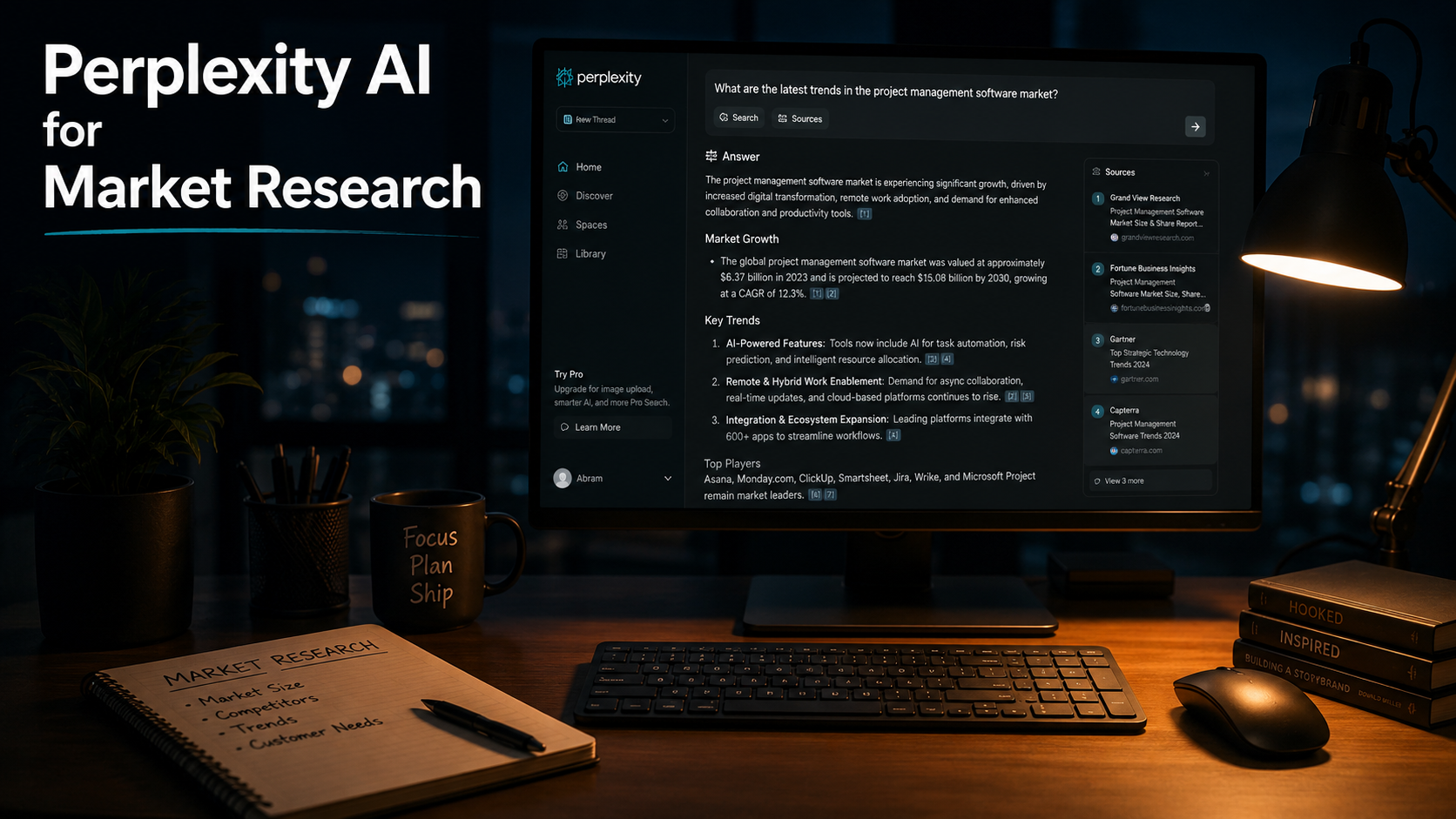
Search engines return links. ChatGPT and Claude return answers — but without citations, and often without real-time data. Perplexity AI for market research does something neither does well: it searches the live web, synthesizes across multiple sources, and cites every claim it makes.
For a product manager, that distinction matters. When you ask Perplexity “what are the top complaints about Notion among project managers,” it reads product review sites, forum threads, Reddit discussions, and tech coverage simultaneously, then gives you a structured answer with numbered sources you can click. You verify fast, you move fast.
The three things that make Perplexity AI for market research practically useful for PMs:
- Real-time sourcing. Perplexity pulls from live web data, not a training cutoff. Competitor pricing changes, recent product launches, and fresh customer feedback all show up.
- Citation-first format. Every claim links to a source. You can audit the answer before acting on it, which matters when you are taking information into stakeholder meetings.
- Follow-up conversation. You can refine, drill down, and reframe within the same session — it holds context the way a conversation does, not the way a search bar does.
Free vs. Pro: What You Actually Need
Perplexity’s free tier is genuinely useful for getting started with Perplexity AI for market research. You get unlimited standard queries with web access, citations, and follow-up questions. For most quick research tasks — a competitor scan, a feature gap check, a pricing lookup — the free tier is enough.
| Feature | Free | Pro ($20/month) |
|---|---|---|
| Standard web search queries | Unlimited | Unlimited |
| Deep Research queries | Limited | 20 per day |
| File uploads (PDFs, docs) | No | Yes (up to 50 files, 40MB each) |
| Model selection (GPT-4o, Claude, Sonar) | No | Yes |
| API credits | No | Yes |
Pro is worth it if you are running Deep Research reports regularly or uploading research documents for synthesis. For occasional use, the free tier handles most Perplexity AI for market research tasks without any cost.
Use Case 1: Competitive Intelligence
This is where Perplexity AI for market research earns its place in a PM’s toolkit. Competitive research traditionally means opening ten tabs, reading four competitor blogs, checking G2 and Capterra, and eventually writing a summary from memory. That process takes two to three hours. Perplexity compresses it to fifteen minutes.
The queries that work best for competitive intelligence:
- “What are the most common complaints about [competitor] on G2 and Reddit in 2026?”
- “What features did [competitor] ship in the last six months?”
- “How does [competitor A] pricing compare to [competitor B] for a team of 20?”
- “What are product managers saying about switching from [competitor] to [alternative]?”
What you get back is a structured synthesis with sources. You can then follow up with “which of these pain points are most frequently mentioned” or “what do users say about their onboarding experience specifically.” Each follow-up tightens the picture without starting over.
One important habit: always click through to at least two or three of the cited sources. Perplexity AI for market research is accurate most of the time, but it can misrepresent nuanced reviews or pull from outdated forum threads. Verify anything you plan to present to stakeholders.
Use Case 2: Customer Problem Validation
Before writing a PRD or pitching a feature, most PMs want evidence that the problem they are solving is real and widespread. Perplexity AI for market research makes it fast to scan public customer language — the actual words users use to describe a frustration.
Useful query patterns here:
- “What do project managers say about the biggest problems with Jira in 2026?”
- “What pain points do startup founders mention most about their current CRM tools?”
- “How are software teams describing the problem of context switching between Slack and project management tools?”
This is not a substitute for direct user interviews. But it is a strong complement — it gives you the vocabulary and the pattern of complaints before you go into interviews, so your questions are sharper. It also helps you identify whether a problem you have heard from one user is isolated or systemic.
Use Case 3: Market Sizing and Trend Analysis
Perplexity AI for market research is useful for quick market sizing lookups and trend scans — not for building a rigorous financial model, but for getting directionally accurate context fast. If you are preparing for a roadmap review or a board conversation and need current market data, it is faster than digging through analyst reports manually.
Examples of what works:
- “What is the current market size of the AI productivity tools sector in 2026?”
- “What are analysts saying about growth trends in enterprise AI adoption for software teams?”
- “What is the state of the project management software market in 2026 and who are the fastest-growing players?”
Perplexity will pull from analyst summaries, industry reports, and news coverage and cite each one. For board-level numbers you should still trace back to the primary source and verify. But for internal context and early-stage sizing conversations, the speed advantage of using Perplexity AI for market research is real.
Use Case 4: Deep Research Reports
Deep Research is Perplexity’s most powerful feature for PMs doing serious research. Instead of answering a single question, it builds a full research plan, visits over 100 web pages, cross-references data, flags contradictions, and produces a structured report — typically in two to five minutes.
The output looks like a mini analyst report with sections, citations, and a summary. It is available on the Pro plan (20 queries per day) and is notably different from a standard Perplexity query in depth and structure.
Best situations to use Deep Research as part of your Perplexity AI for market research workflow:
- Building a competitive landscape document before a strategy review
- Researching a new market segment your team is considering entering
- Gathering evidence for or against a product bet before taking it to leadership
- Summarizing the current state of a technical category (AI coding tools, workflow automation platforms, etc.)
In 2026, Perplexity integrated Deep Research into its Computer product, which routes tasks across more than twenty AI models simultaneously. The output quality for structured research reports has improved significantly as a result. For PMs who use Perplexity AI for market research regularly, the $20/month Pro tier pays for itself quickly in saved research time.
How to Write Perplexity Queries That Actually Work
The quality of what you get out of Perplexity AI for market research is directly tied to how you frame the question. Perplexity performs significantly better with specific, contextual queries than with broad open-ended ones.
The core principles:
- Add context about who you are. “As a B2B SaaS product manager preparing for a competitive review, what are the main differentiators between Linear and Jira for engineering teams in 2026?” returns a more targeted answer than “Linear vs Jira.”
- Specify the source type when it matters. “What are users saying on Reddit and G2 about [tool] onboarding” is more targeted than “what do users think about [tool].”
- Use recency framing. Adding “in 2026” or “in the last six months” surfaces more recent data.
- Break complex questions into a sequence. Start with the landscape, follow up with pain points, then drill into a specific segment. Sequential queries produce better output than one long compound question.
- Ask for structure when you need it. “Summarize this in a table comparing pricing, key features, and target segment” works well after an initial research response.
One workflow that works well: run your initial broad query, read the answer and citations, identify the two or three most important gaps, then ask targeted follow-up questions in the same session. By the end of three to five exchanges, you usually have enough structured material to write a research summary without opening another tab.
5 Limitations Product Managers Need to Know
Perplexity AI for market research is a powerful tool, but using it well means understanding where it breaks down.
- It cannot access paywalled content. Premium analyst reports, enterprise pricing pages, and gated research are not available to it. If your research depends on Gartner or IDC primary data, you still need direct access.
- Citation quality is uneven. Forum posts, Reddit threads, and low-authority blog posts appear as sources alongside credible ones. The tool does not distinguish between a G2 power user’s detailed review and a two-sentence forum comment.
- It summarizes — it does not analyze. Perplexity synthesizes what is publicly written. It will not tell you what the data means for your specific product strategy. That inference is still your job.
- Proprietary and internal data are not accessible. Sales call notes, CRM data, support ticket patterns — none of that is in Perplexity. It only knows what is public.
- Recency varies by topic. Well-covered topics return recent data. Niche or emerging areas may still return older information even when you ask for 2026.
The 20-Minute Perplexity AI for Market Research Workflow
This practical workflow covers how to use Perplexity AI for market research before a competitive review, a strategy meeting, or a feature prioritization session. It works with the free tier for most steps; Deep Research requires Pro.
- Competitive scan (5 minutes). Query: “What are the top three competitors to [your product category] in 2026, what are their strongest positioning points, and what are the most commonly cited weaknesses?” Read the answer, click two or three sources to verify, note the gaps.
- Customer language extraction (5 minutes). Query: “What are users saying about [competitor] on review sites and forums in 2026? Summarize the top recurring complaints and the top reasons users recommend it.” This gives you the language patterns you need for messaging and positioning work.
- Trend context (5 minutes). Query: “What are the major product and market trends in [your category] in 2026? What are analysts and practitioners saying is changing?” This surfaces directional signals you can bring into roadmap conversations.
- Synthesis (5 minutes). Ask Perplexity to “summarize the above into a table: competitor, positioning, key strengths, key weaknesses, and relevant trend.” Export or copy the table into your notes.
The output is not a finished research document. It is a strong first draft of the research landscape — enough to orient a team conversation, sharpen interview questions, or anchor a strategy slide with current context.
For a deeper deliverable, run a Deep Research query at the start instead of a standard query, then use follow-up questions to fill in the gaps the report leaves open.
The Bottom Line
Using Perplexity AI for market research does not replace the work of a product manager. It compresses the information-gathering phase — the part that burns the most time without requiring the most skill. The time you save on scanning, reading, and summarizing public information is time you can put into the actual thinking: what the data means, which bets to make, and how to explain the context to the people who need to act on it.
Start with the free tier, run the 20-minute workflow above before your next competitive review, and see how much of your current research process it replaces. If you are running these regularly, the Perplexity Pro plan at $20 per month adds Deep Research and file uploads — both genuinely useful additions for PMs doing structured research work.
For more on building AI into your PM workflow, read How PMs Are Using AI to Kill 30% of Their Weekly Workload and The Best AI Tools for Writing PRDs That Don’t Sound Like They Were Written by a Robot.