How to Automate Project Status Updates: 3 AI Tools That Do the Heavy Lifting

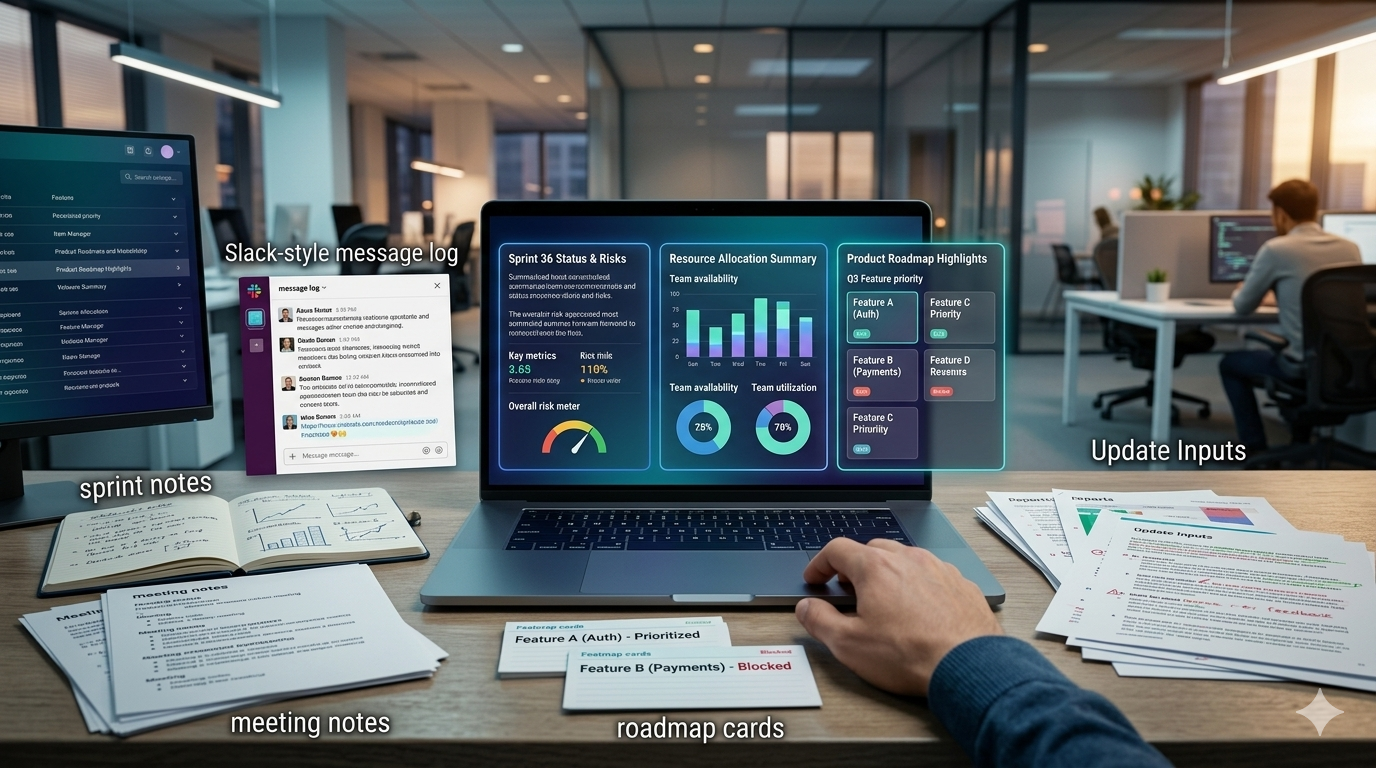
Table of Contents
- Why status updates drain PM time
- What AI should automate first
- 3 AI tools to automate project status updates
- A simple PM workflow to test
- Where AI should stop
If you are a project manager, the real problem is rarely the status meeting itself. Learning how to automate project status updates matters because the real drain is everything around the meeting: collecting scattered updates, rewriting the same message for different audiences, and answering follow-up questions that should not need a fresh explanation every time.
A lot of PM reporting work is not strategy. It is assembly. You take notes from a standup, comments from engineers, roadmap changes from product, blockers from QA, and stakeholder questions, then turn all of that into one clean update — then do it again in a different format for leadership, the delivery team, and the person who sends the usual “quick update?” message. That is exactly where AI can remove the most friction.
Why status updates drain PM time
Most PMs do not write one update. They write several versions of the same truth: a team summary, a leadership-ready progress update, a risk or blocker note, and a follow-up explanation when context already exists somewhere else.
When this work stays manual, the PM becomes a routing layer for information instead of a decision-maker. That hurts focus, and it hides a deeper issue: repeated questions usually mean knowledge is scattered, not that people are lazy. This is the same structural problem behind why communication plans fail in software teams — information without a system creates confusion at scale.
What AI should automate first
The best use of AI here is not “send automatic updates with zero review.” The better use is: gather inputs faster, summarize existing material, draft the first version, surface missing context, reuse the same source material across multiple audiences, and answer recurring questions from existing documentation.
The AI handles retrieval, summarization, and first-draft work. The PM owns judgment, escalation, tone, and the final decision on what gets shared. Before deploying any of these tools, make sure your workflows are stable — see Why AI Automation Fails to avoid the most common mistakes teams make when they automate too early.
3 AI tools to automate project status updates
1. CustomGPT.ai — for repeated questions and internal knowledge reuse
CustomGPT.ai is a no-code platform that lets businesses create source-citing AI agents from their own data. It supports more than 1,400 file formats and 100-plus integrations, including Notion, Slack, SharePoint, HubSpot, and WordPress.
For PMs, that matters when status-update work gets inflated by repeated questions that already have answers somewhere in the team’s documentation. If the same questions keep coming up — “What changed since last sprint?”, “Where is the latest scope?”, “What is blocked?” — the problem is often retrieval, not missing information.
Instead of relying on memory or manually digging through documents every time, a PM can use a knowledge-based assistant grounded in internal docs, wiki pages, and project material. CustomGPT.ai includes citation transparency in responses and can send periodic email reports, making it more useful for operational knowledge workflows than a generic chatbot.
2. Notion AI — for stakeholder-ready summaries
Notion AI can generate summaries, extract insights from a page, and use the context of the page where it is deployed. Notion AI Meeting Notes can generate summaries instantly after meetings, extract action items, keep projects updated with new statuses and revised timelines, and make past decisions searchable across the workspace.
This makes Notion AI a strong fit when your team already keeps sprint notes, decisions, planning docs, or meeting records in Notion. The use case for PMs is direct: take a messy planning page or meeting note, ask Notion AI for a summary, pull action items and key decisions, and turn that into a stakeholder-ready update draft — without leaving the tool where the source material already lives.
3. ClickUp Brain — for workspace-native status reports
ClickUp Brain can generate AI project summaries, status updates, action items, next steps, and automatic standups from workspace content. It connects tasks, docs, people, and company knowledge — and its status-report features are explicitly framed around summarizing progress and communicating service or project status more efficiently.
For teams already running project execution inside ClickUp, the biggest gain is removing the human formatting step between the source data and the weekly update. ClickUp Brain is also part of the lean AI stack for PMs covered in AI Tools for Project Managers: Build a Lean Stack That Actually Works.
A simple PM workflow to test
- Create one status-update template with fixed sections: progress, risks, blockers, decisions, and next steps.
- Pick one AI tool based on the real bottleneck, not hype.
- Feed it only source material you already trust.
- Ask for a first draft, not a final report.
- Review for nuance, politics, delivery risk, and missing context before sending anything.
Use CustomGPT.ai if the main issue is repeated questions across scattered documentation.
Use Notion AI if the main issue is summarizing notes, meetings, and docs already living in Notion.
Use ClickUp Brain if the main issue is turning workspace activity into faster status reporting.
Where AI should stop
AI should remove repetitive reporting work. It should not decide what to escalate, what to soften, what to challenge, or what to leave unsaid. That is still PM work.
The goal is not to hand communication over to AI. The goal is to remove the repetitive assembly work so the PM can focus on judgment. And if you want the documentation foundation that makes these tools actually reliable, start with the best way to document recurring team knowledge with AI.