
Claude for Software Requirements: 7 Ways to Kill Ambiguity Before It Ships

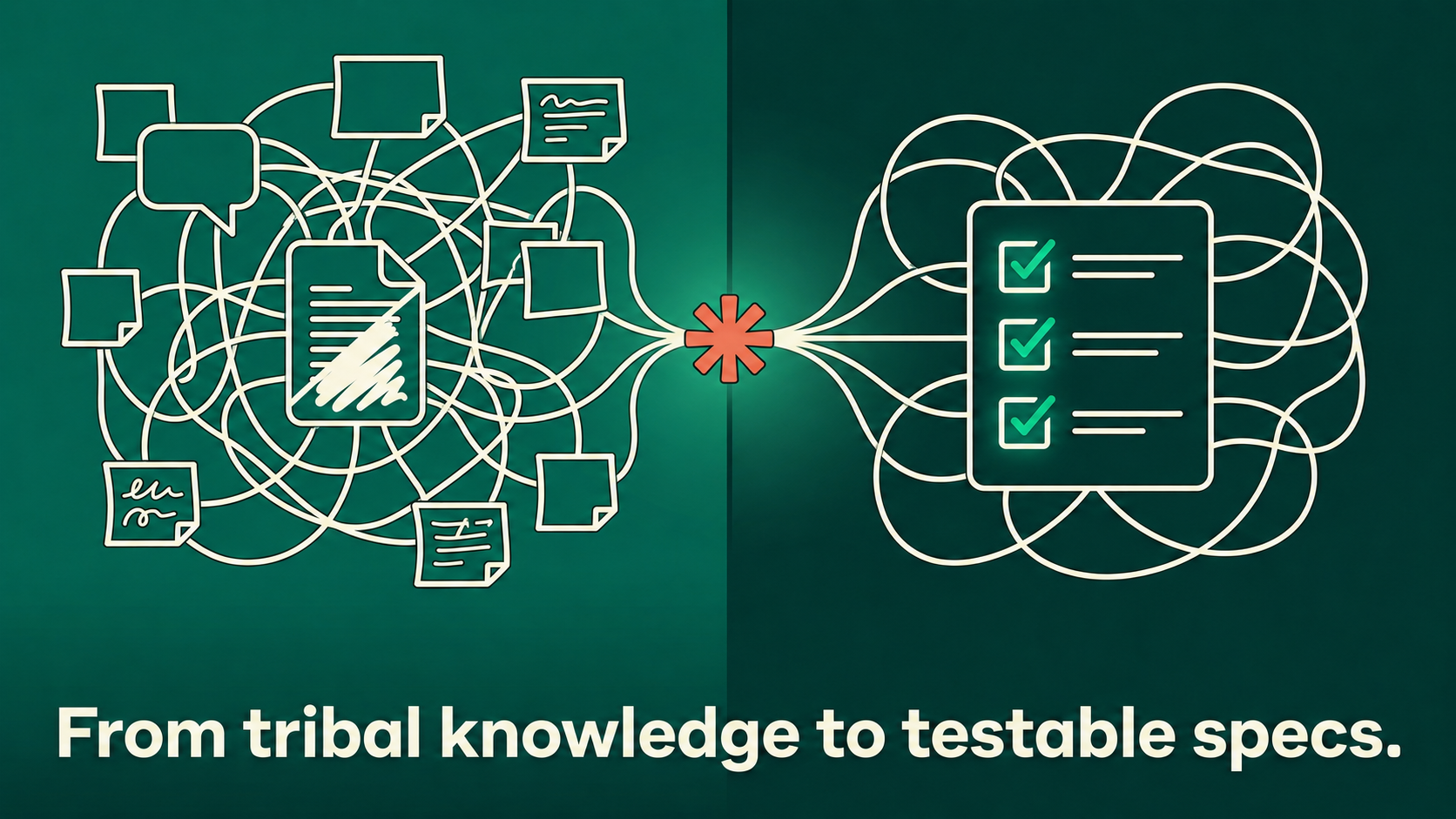
If a requirements defect gets caught during the requirements phase, it costs roughly $25 to $45 to fix. Catch the same defect after release, and the bill runs past $10,000, according to QualityLogic’s analysis of requirements-based testing data. That gap is not a tooling problem. It is a comprehension problem — and it is exactly the kind of problem Claude for software requirements work is built to close.
Most teams do not fail at requirements because nobody writes them down. They fail because what gets written down is a translation of a translation: a Slack thread becomes a meeting note, the meeting note becomes a half-finished ticket, and the ticket becomes whatever the engineer assumed it meant. Claude does not replace the conversation. It removes the lossy translation steps in between, which is the actual value of using Claude for software requirements instead of treating it as a faster typist.
Why Requirements Break Down Before Code Ever Gets Written
Standard user stories work fine between two humans who share context. They fall apart the moment you hand them to anyone — human or AI — who was not in the room. A ticket that says “support bulk export” means nothing without limits, formats, and edge cases attached. That ambiguity generates rework, not the absence of documentation, and it’s exactly the gap that Claude for software requirements work is designed to close.
The pattern repeats at every handoff: a one-line ticket, an engineer who fills the gap with their own assumption, a QA pass built on a third reading nobody checked against the other two. Nobody is wrong, exactly. The requirement just never specified enough to rule the other readings out. Claude for software requirements sessions exist to catch that gap before it reaches a developer.
This is where most AI-assisted requirements work goes wrong, too. Teams ask a chatbot to “write a PRD for X” and get back something fluent and almost useless, because the model filled every gap with a guess instead of a question. The fix isn’t a better prompt. It’s a different workflow for Claude for software requirements — one where the AI’s first move is to surface what it doesn’t know.
The Core Shift: Spec-Driven, Not Story-Driven
Spec-driven development treats the requirements document as the primary deliverable, not a formality before the “real work” of coding starts. This is the mindset shift that makes Claude for software requirements actually work, instead of just producing faster versions of the same vague document. Instead of a vague story like “as a user, I want to export my data,” a spec-driven requirement looks like this:
- Given a logged-in user with more than 50 records
- When they trigger a CSV export
- Then the file completes in under 3 seconds and includes every visible column
That Given/When/Then structure (Gherkin syntax) is testable, unambiguous, and directly convertible into QA test cases. Claude is good at generating this format consistently — but only if you stop it from guessing the missing details first. A story tells you the intent; a spec tells you the boundary, and the boundary is where ambiguity actually lives.
How to Use Claude for Software Requirements Without Getting Generic Output
1. Make Claude Interview You Before It Writes Anything
The single highest-leverage technique for Claude for software requirements work is also the simplest: tell Claude to ask clarifying questions until it is confident, instead of writing immediately. A prompt like “Before drafting this requirements doc, ask me everything you need to know — do not assume defaults” forces the model to surface the gaps a junior analyst would have asked about anyway. This single instruction is the difference between a requirements doc you can ship and one you have to rewrite.
Without the instruction, Claude drafts first and the gaps surface later, once a draft already exists for people to anchor their thinking around. With the instruction, the same question arrives in the first thirty seconds, before anyone has a finished-looking document to react to instead of interrogate.
2. Feed It the Legacy Context, Not Just the New Ask
Undocumented legacy systems are where requirements work usually collapses, because the “requirements” live in code, not in any document. Claude Sonnet 4.6 now runs on a 1 million token context window, which is large enough to hold an entire legacy module, its tests, and its related tickets in a single conversation. That changes what’s possible for Claude for software requirements on old code: instead of describing the old system from memory, you point Claude at the actual code and ask it to reverse-engineer the current behavior into a spec before anyone touches a single new requirement.
3. Separate “What It Does Now” From “What It Should Do Next”
A common mistake when applying Claude for software requirements work is asking it to write new requirements directly into a legacy area without first locking down current behavior. Run it in two passes: first, extract the existing behavior as a baseline spec; second, layer the new requirement on top and flag every place it conflicts with the baseline. This two-pass method catches the “wait, it already does that differently in production” problem before a developer does.
4. Use Plan Mode for Anything Touching Multiple Systems
For requirements that span more than one service or team, Claude Code’s Plan Mode is the right tool, not a chat window. Plan Mode reads the relevant files, traces dependencies, and produces a numbered implementation plan before anything changes — and it will pause to ask clarifying questions on complex or ambiguous asks rather than filling in blanks. For a requirements document, this means the plan it hands back already accounts for the parts of the codebase the requirement will actually touch, which is one more reason Claude for software requirements work pairs well with Plan Mode specifically.
“Add a discount code field to checkout” sounds like a single form change. In a real codebase it usually touches the pricing service, the order model, and a downstream report someone in finance relies on. Plan Mode’s dependency trace surfaces those connections before the requirement gets written, not after a developer starts implementing and discovers three other teams need to weigh in.
5. Force Testable Acceptance Criteria, Every Time
Every acceptance criterion should be something QA can run and pass or fail — not a description. Instruct Claude explicitly: “Every acceptance criterion must be in Given/When/Then format and must be falsifiable.” This single constraint eliminates the vague “should work correctly” criteria that generate disputes during sign-off, and it’s one of the easiest rules to enforce consistently in any Claude for software requirements workflow.
6. Build a Living Reference File, Not a One-Off Prompt
Teams getting consistent output from Claude for software requirements sessions keep a project-level reference document (the equivalent of a CLAUDE.md) that captures naming conventions, business rules, and known constraints for the system in question. Paste this into every requirements session. Without it, Claude re-derives context from scratch each time, and consistency across requirements docs falls apart over a few weeks.
The file doesn’t need to be exhaustive. A short list of terms your team uses differently than the industry default, plus the business rules that exist only because of a past incident, covers most of what causes inconsistent output. Update it the moment a session reveals a gap, and it gets sharper with use instead of going stale like most internal wikis.
7. Route Big, Multi-Service Requirements Through Multiple Passes, Not One Mega-Prompt
For requirements that cut across several services, a single prompt produces a single, flattened document that misses interactions between systems. This is where Claude for software requirements work breaks down fastest if you treat it like a single chat request. Splitting the work — one pass per affected service, then a synthesis pass that reconciles conflicts — produces a far more accurate result, the same way multi-agent workflows outperform a single agent on complex, cross-cutting tasks.
A requirement touching billing, notifications, and the admin dashboard gets three separate passes, each scoped to one service, before a fourth pass merges them and flags anywhere the services disagree about shared state — like billing assuming a cancellation is immediate while notifications assumes a 24-hour grace period. A single flattened prompt smooths that mismatch over without anyone noticing.
What a Real Claude Requirements Session Looks Like
Picture a mid-size SaaS team adding a permissions tier to a billing module nobody has touched in two years — exactly the kind of ticket where Claude for software requirements work earns its keep. The old way: an engineer reads through the billing service for an afternoon, pings two people who left partial context in old PR comments, and writes a ticket that says “add a ‘viewer’ role that can’t edit invoices.” That ticket ships, and three weeks later support discovers viewers can still export invoices to PDF, because nobody specified export behavior.
The Claude-assisted version starts differently. The engineer points Claude at the billing service’s permission-checking code and the existing role definitions, and asks it to produce a baseline spec of every action each current role can take — read, edit, export, delete, refund — before any new role gets discussed. Claude returns that baseline as a table, the engineer corrects two lines where the code’s intent doesn’t match production, and only then does the new “viewer” requirement get layered on top with full visibility into every action it needs to explicitly block.
The output isn’t faster because Claude types quickly. It’s faster because the rework cycle — ship, get a bug report, re-discover the missing case, patch — never happens. That cycle is the real cost center in most requirements work, and it’s what Claude for software requirements work is built to remove. It also changes who can review before anything ships: a product manager without deep codebase knowledge can read the baseline table and immediately spot that export access is missing, without needing to understand the underlying permission code.
Where This Breaks Down: Limits Worth Knowing
Claude for software requirements work has real limits. Claude cannot infer business rules that exist only in a person’s head and were never written or coded anywhere — no context window fixes a requirement that has never existed in any retrievable form. If the actual answer to “what should happen here” lives only in a stakeholder’s memory, the interview step in the workflow above will surface that gap as an open question rather than inventing an answer, which is the correct behavior, but it still means a human conversation has to happen before the spec can be finished.
It’s also worth being precise about availability: the 1 million token context window for Claude Sonnet 4.6 is currently available through the API, not yet as a standard feature inside every consumer plan. Teams running large legacy-extraction passes against entire codebases should confirm their access tier before assuming the full window is available in their workflow.
A second limit on Claude for software requirements work: Claude will surface contradictions in what you give it, but it can’t resolve a contradiction between two stakeholders who each believe their version is the obvious one. If support and sales disagree about what “cancel” should mean mid-refund, no amount of code-reading settles that — it’s a decision, not a fact, and a person has to make it before the spec is finished.
Common Mistakes That Undo All of This
| Mistake | Why It Hurts | Fix |
|---|---|---|
| Asking for the doc directly | Claude fills gaps with assumptions instead of asking | Force a clarifying-question pass first |
| Skipping legacy context | New requirements conflict with undocumented current behavior | Extract a baseline spec before adding new requirements |
| Vague acceptance criteria | QA and engineering disagree on “done” | Require Given/When/Then format for every criterion |
| One mega-prompt for cross-system work | Interactions between services get flattened or missed | Run one pass per system, then reconcile |
Where This Fits Next to PRDs
Software requirements and PRDs solve different problems. A PRD answers why a feature should exist. A software requirements spec answers exactly what the system must do and how you’ll know it works — and that distinction is exactly why Claude for software requirements work and PRD generation need different prompts and different workflows. If you’re also responsible for the PRD side, the workflow in 5 Best AI Tools for Writing PRDs covers that layer — this post is specifically about the technical spec that engineering and QA actually build against.
How This Changes the Handoff to QA and Engineering
A requirements doc only earns its keep if the people downstream actually use it without translating it again. This is the practical payoff of Claude for software requirements work: when acceptance criteria arrive in Given/When/Then format, QA can lift them almost directly into test cases instead of writing a parallel set of tests from a different reading of the same ticket. That removes one of the quieter sources of disagreement on a team: the moment QA flags something as a bug and engineering calls it expected behavior, because each side built from a different mental model of the same vague sentence.
The same applies to estimates. A spec listing explicit edge cases — zero records, a network timeout mid-export, a role change mid-session — lets an engineer give a real estimate instead of a padded guess. Accuracy improves not because the work got easier, but because the unknowns got named instead of absorbed silently into a buffer, which is the quieter benefit teams notice only after running Claude for software requirements sessions for a few sprints.
A Lightweight Template Worth Stealing
Teams that get consistent results from Claude for software requirements work tend to converge on a similar shape for every session, regardless of the feature:
- Context block: relevant code, prior tickets, and any business rules that already exist for this area.
- Open-question pass: Claude asks everything it needs before drafting anything.
- Baseline spec: what the system does today, confirmed against the code, not memory.
- New requirement: what should change, written against that baseline.
- Acceptance criteria: Given/When/Then, one per edge case, each independently testable.
This is not a rigid framework that needs its own training session. It’s closer to a checklist for Claude for software requirements work, and the value comes from running it every time rather than only on the requirements that feel important enough to slow down for. The features that skip this step are usually the ones that come back as bug reports a month later.
Rolling This Out Without a Big Process Change
The teams that adopt Claude for software requirements work successfully don’t announce a new methodology. They change how one person writes one requirements doc, let the difference in rework show up over two or three sprints, and let the practice spread because it’s visibly better. Pick the next feature that touches a part of the system with thin documentation, since that’s where the contrast will be most obvious.
It also helps to keep the bar low for what counts as using Claude for software requirements on a given ticket. It doesn’t have to mean a full legacy-extraction pass every time. Sometimes it’s as small as pasting a vague one-line ticket into Claude and asking it to list every assumption it would have to make to implement it as written. That alone surfaces three or four gaps in about thirty seconds, on a ticket already sitting in the backlog.
The Practical Next Step
You don’t need a new tool stack to start using Claude for software requirements. Take the next requirement you’d normally write from memory or a Slack thread, and instead ask Claude to interview you about it first, in Given/When/Then format, with the legacy code attached if it touches an existing system. The cost difference between catching ambiguity now and catching it in production is not subtle — it is a 20x to 400x multiplier, by QualityLogic’s own numbers. Closing that gap earlier is the entire point of using agent workflows for developers in the first place, and Claude for software requirements is one of the highest-leverage places on a team to start.