Agent Workflows for Developers: The Practical Guide to Shipping Faster in 2026

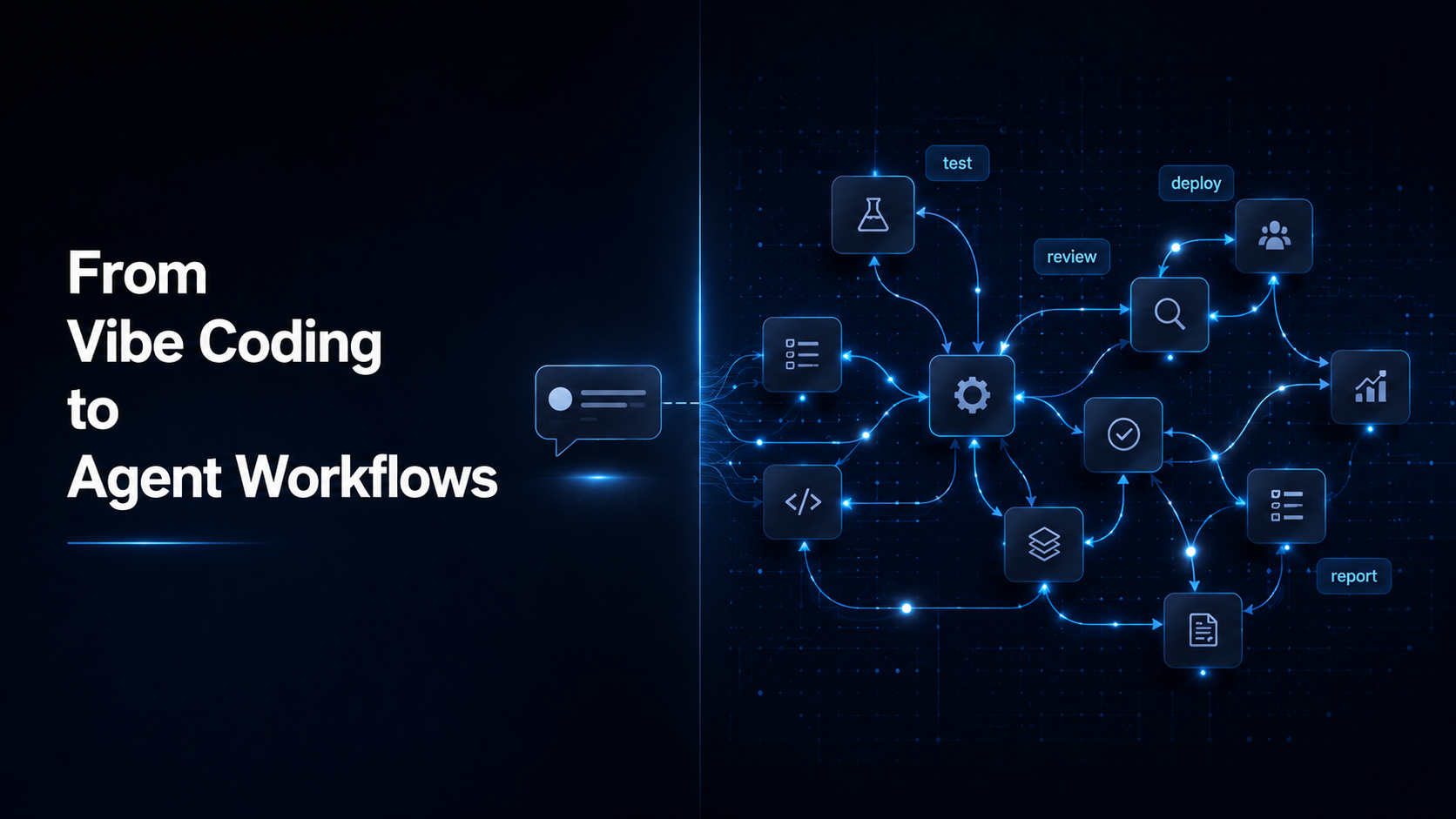
For about eighteen months, vibe coding was the dominant metaphor for how developers were supposed to use AI. You describe what you want. The model generates it. You iterate, tweak, and ship. It felt like a superpower — and for simple tasks, it genuinely was.
The problem is that agent workflows for developers are now doing something fundamentally different, and the teams that understand this distinction are already building faster, with fewer bottlenecks, than those still treating AI as a smarter autocomplete.
This is not about which model is better. It is about how AI gets used inside a team, and the structural implications that follow. This guide breaks down what agent workflows for developers actually are, how they differ from the one-shot prompt approach, and what your team should do about it this week.
Table of Contents
- What vibe coding actually was — and why it mattered
- Why the one-shot prompt era ran into a ceiling
- What agent workflows are and how they differ
- One-shot prompt vs. agent workflow: a direct comparison
- How multi-agent systems are changing team structure
- What this means for developers right now
- What this means for PMs right now
- The tools enabling agent workflows in 2026
- What to do this week
What Vibe Coding Actually Was — and Why It Mattered
Vibe coding, a term popularized in early 2025, described a style of AI-assisted development where the developer describes intent in natural language and lets the model handle most of the implementation. The loop was simple: describe, generate, review, adjust.
It lowered the barrier to building significantly. Junior developers could scaffold features faster. Product managers could prototype ideas without waiting on engineering. Solo founders could ship MVPs in days instead of weeks.
But it also had a ceiling that became obvious fast.
Vibe coding is fundamentally a single-turn interaction. You prompt once, or a few times in sequence, and the model responds within that context. It works well for isolated tasks — writing a function, generating a test, summarizing a document. It falls apart when the task requires memory, coordination across steps, tool access, or decision-making across a longer workflow.
That ceiling is exactly where agent workflows for developers begin to show their real value.
Why the One-Shot Prompt Era Ran Into a Ceiling
The limitation was not the models. It was the interaction pattern.
A single prompt gives an AI model one shot to interpret intent, generate output, and deliver a result. When that result is wrong, the developer corrects it manually and re-prompts. When the task spans multiple steps — fetch this data, analyze it, write a summary, send it to a Slack channel, update the ticket — the developer has to orchestrate each step themselves.
That orchestration overhead is where developer time was still getting consumed, even after adopting AI tools.
The deeper issue is that most real software work is not a single task. It is a chain of decisions, each one depending on the output of the last. Sprint planning depends on backlog state. Backlog state depends on stakeholder input. Stakeholder input depends on delivery signals. No single prompt handles that chain reliably.
Agent workflows for developers were built to address exactly this orchestration gap.
What Agent Workflows for Developers Are and How They Differ
An agent workflow is a system in which an AI model — or multiple models working together — can take actions, use tools, observe results, and make decisions across a sequence of steps without requiring a human to manually orchestrate each one.
The key differences from a standard prompt interaction:
- Memory: Agents can retain context across steps, not just within a single conversation window.
- Tool use: Agents can call external systems — APIs, databases, browsers, code executors — and act on the results.
- Decision-making: Agents evaluate intermediate outputs and adjust next steps accordingly, rather than generating a single flat response.
- Coordination: In multi-agent setups, specialized agents handle different parts of a workflow and pass outputs between each other.
A practical example: instead of a developer prompting an AI to “write a test for this function,” an agent workflow might autonomously pull the latest code changes, identify untested paths, generate test cases, run them against the codebase, flag failures, and open a pull request — with the developer reviewing the output at the end, not managing each step.
This is not science fiction. GitHub Copilot’s agent mode, Cursor’s agent features, and Anthropic’s computer use capabilities are live implementations of this pattern.
One-Shot Prompt vs. Agent Workflow: A Direct Comparison
Here is how the two approaches compare across the dimensions that matter most for software teams:
| Dimension | One-Shot Prompt | Agent Workflow |
|---|---|---|
| Interaction model | Single turn: one prompt, one response | Multi-step: agent acts, observes, decides, continues |
| Memory | Limited to the current context window | Retains state across steps and tool calls |
| Tool access | None — model responds with text only | Can call APIs, run code, read files, browse the web |
| Error handling | Developer catches and re-prompts manually | Agent detects failures and adjusts autonomously |
| Best for | Isolated tasks: write a function, draft a message | Multi-step workflows: test, document, PR, report |
| Human involvement | Required at every step | Required at review/approval stage only |
| Scalability | Bottlenecked by developer orchestration time | Scales with agent configuration, not headcount |
| Risk | Low — output is contained and visible | Higher — errors can compound across steps |
How Multi-Agent Systems Are Changing Team Structure
The shift to agent workflows for developers is not just a productivity story. It is beginning to reshape how software teams are organized and how work gets distributed.
In a multi-agent system, different agents handle different domains. One agent specializes in code generation. Another handles test coverage. Another monitors for regressions. Another summarizes sprint progress for stakeholders. Each operates within its scope and passes structured outputs to the next.
What this means in practice:
- Code review cycles get shorter because agents can catch common issues before a human reviewer sees the pull request.
- Documentation updates happen automatically when code changes, rather than being a separate manual task.
- Sprint reporting becomes a byproduct of the workflow rather than a dedicated task someone has to own.
- Handoffs between roles get cleaner because agents maintain structured logs of what was done, why, and what changed.
Teams adopting agent workflows for developers are not replacing engineers. They are redistributing developer attention away from coordination overhead and toward decisions that actually require human judgment.
What This Means for Developers Right Now
The practical implication is that the skill set that matters most is shifting.
Writing code is still important. But configuring, orchestrating, and evaluating agents — understanding what they can be trusted to do autonomously and where human review is non-negotiable — is becoming a core competency for any developer working in 2026.
1. Learn how agent modes work in your current tools
GitHub Copilot, Cursor, and Windsurf all have agent-mode features that most developers are still using like standard autocomplete. Understanding the difference in how they handle multi-step tasks changes what you can delegate.
2. Start thinking in workflows, not prompts
The mental shift is from “what do I want the AI to generate right now” to “what sequence of decisions does this task require, and which of those can an agent own.” That reframing changes what you build and how you scope tasks.
3. Review before you trust, not after
Agent outputs need a different kind of review than code you wrote yourself. The errors are subtler, and they can compound across steps. Building a review habit at the output stage — not just the input stage — is essential.
What This Means for PMs Right Now
For product managers, the adoption of agent workflows for developers has two immediate implications.
First, requirements need to be more precise. Agents execute on what they are given. Ambiguous acceptance criteria, unclear ownership, or vague scope definitions create agent outputs that look plausible but miss the actual intent. The quality of your specifications directly affects the quality of what agentic systems produce.
Second, the definition of “done” is changing. When an agent handles test generation, documentation, and pull request creation autonomously, the PM’s role shifts toward validating that the right problem was solved — not just that the output looks correct. That requires a clearer understanding of what each agent was actually tasked with.
PMs who treat agent workflows as purely a developer concern will find themselves reviewing outputs they do not understand, approving changes they cannot evaluate, and losing visibility into decisions that affect delivery quality. Learn more about how AI helps PMs manage stakeholder expectations when working inside automated delivery systems.
The Tools Enabling Agent Workflows for Developers in 2026
The infrastructure has matured significantly in the past year. A few tools worth understanding:
GitHub Copilot (Agent Mode)
GitHub’s agent mode allows Copilot to autonomously handle multi-step coding tasks within a repository — reading files, making changes, running tests, and iterating on failures. This is the most accessible entry point for most software teams.
Cursor
Cursor’s agent features allow developers to describe a goal and have the tool navigate the codebase, make changes across multiple files, and handle dependencies. It is widely used among developers who work across large codebases.
Anthropic Claude (via API)
Claude’s tool-use capabilities and computer-use beta make it a strong foundation for custom agent workflows, particularly for teams building internal tooling or automating non-code tasks like documentation, reporting, and stakeholder communication.
LangChain / CrewAI
For teams building custom multi-agent pipelines, these frameworks provide the orchestration layer — defining agent roles, managing tool access, and coordinating outputs between agents.
The barrier to entry is lower than it has ever been. The harder part is deciding what to automate and building the review processes to validate agent outputs before they affect production. Before adopting any new tool in this space, read our guide on how to evaluate AI tools without falling for the hype.
What to Do This Week
The most useful thing a developer or PM can do right now is pick one workflow that currently requires manual orchestration across more than two steps and ask whether an agent mode tool could handle it end-to-end. Use this checklist to get started with agent workflows for developers on your team:
- Identify one low-stakes workflow that currently requires 3 or more manual steps — test generation, documentation updates, changelog summaries, or sprint retrospective notes are good starting points.
- Enable agent mode in your current tool (GitHub Copilot, Cursor, or Windsurf) if you have not already.
- Describe the full goal to the agent — not just the first step. Let it plan the sequence.
- Run it on a branch or in a sandboxed environment, not directly on main.
- Review the output end-to-end: check for steps the agent skipped, assumptions it made, and places it went off-spec.
- Document what it got right and what needed correction — that pattern tells you what to delegate next.
- Once you have one workflow running reliably, pick the next one and repeat.
Vibe coding was a starting point. Agent workflows for developers are where the real leverage is. The teams that figure out the operational model — how to scope agent tasks, review agent outputs, and build trust in agentic systems gradually — are the ones that will compound the productivity gains rather than plateau at them.
The shift has already started. The question is whether your team is building the habits to use it well. For a practical look at automating project status updates with AI, start there as a low-risk first workflow to hand off to an agent.
For a deeper read on how agentic AI is evolving, Harvard Business Review’s guide on using AI practically is worth the time.