Notion AI PM Workflow: 5 Proven Steps to Run Your Whole Sprint

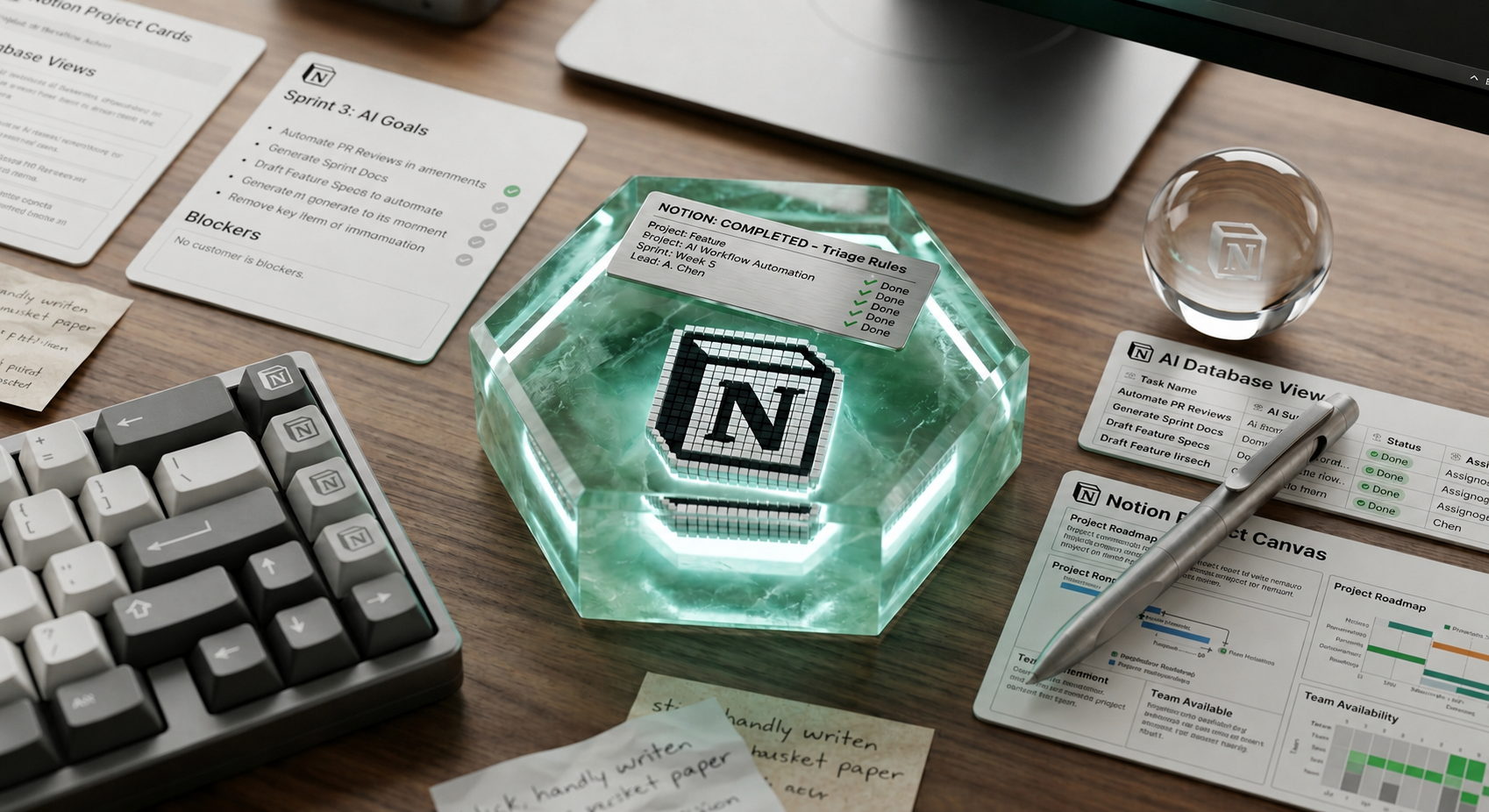
Most PMs use three or four tools to run one project: a doc for the PRD, a board for tasks, a separate app for meeting notes, and Slack to glue it all together. A Notion AI PM workflow replaces that stack with one workspace that drafts, tracks, summarizes, and updates itself while you focus on decisions instead of data entry.
That sentence sounds like marketing copy. It is not. By mid-2026, Notion AI had moved well past “write me a paragraph” territory. The platform now ships autonomous agents that read meeting transcripts, update database rows, and post status summaries on a schedule, without a human triggering each step (Notion, February 2026 release notes).
This guide breaks down how to build a Notion AI PM workflow that handles the repetitive 30% of your week: status updates, meeting follow-ups, task triage, and documentation upkeep. No theory. Just the setup, the pricing reality, and the mistakes that make teams abandon it after two weeks.
Why Run Your PM Workflow Inside Notion AI Instead of a Point Tool
Every point solution you add to a PM stack creates a sync problem. The task tool does not know what was decided in the meeting tool. The meeting tool does not know what is blocking the sprint. You end up being the integration layer, manually copying decisions from one app into another.
A Notion AI PM workflow works differently because the data, the documentation, and the AI agent all sit on top of the same database. When Notion AI reads a meeting transcript, it writes directly into the same project database your sprint board already pulls from. That single-source structure is the actual argument for consolidating, not the AI buzzword.
This matters most for teams that have already tried to bolt AI onto a fragmented stack and found the results shallow. A summarizer plugged into a task tool can only summarize what that tool already knows. It cannot see the meeting notes living somewhere else. A Notion AI PM workflow avoids that ceiling because everything the AI touches lives in the same place it operates.
What Changed in 2026 That Makes This Workable
Three shifts moved Notion AI from “nice assistant” to “workflow engine”:
- Custom Agents (launched February 2026): These run on a schedule or a trigger, not just on a manual prompt. An agent can fire every weekday at 9 a.m. and compile a status update, or trigger the moment a database row changes status (Notion Agents product page).
- Expanded context window: Notion AI can now read up to 50 pages in a single context window, up from 20 in the prior version.
- AI Meeting Notes with structured output: Notion’s meeting notes feature, built on transcription models from OpenAI and Anthropic, now produces structured summaries with talking points, decisions, and action items.
None of this replaces judgment. It means the mechanical part of PM work can run without you typing it twice.
The Core Notion AI PM Workflow: Five Connected Pieces
A working Notion AI PM workflow is not one feature. It is five pieces wired to the same database. Skip a piece and the system degrades back into manual copy-paste.
1. A Single Project Database as the Source of Truth
Before touching AI, the project needs one database with consistent properties: status, owner, sprint, priority, and linked PRD. If tasks live in a spreadsheet and decisions live in Slack, no amount of AI fixes that.
2. AI Meeting Notes Feeding the Database Directly
Instead of a PM manually writing meeting recap emails, Notion AI Meeting Notes transcribes the call. A connected agent extracts action items and creates or updates rows in the project database automatically, removing the 20-minute post-meeting admin block that used to follow every sync.
3. A Scheduled Status Update Agent
This is the highest-leverage use of Custom Agents for a software PM. Set an agent to run every Friday at 4 p.m.: it pulls from the sprint database, summarizes what shipped, what slipped, and what is blocked, and posts the summary to a Notion page or a Slack channel.
| Manual Process | Notion AI PM Workflow Equivalent |
|---|---|
| PM writes status update by hand every Friday | Custom Agent runs on schedule, drafts from live database |
| PM re-types meeting decisions into task tool | AI Meeting Notes plus agent writes directly to database |
| PM checks Slack manually for blockers | Agent triggered by Slack message in watched channel |
| PM builds new PRD section from scratch | AI drafts from existing linked pages and prior PRDs |
4. Slack as the Trigger Layer, Not a Second System of Record
Notion’s Slack integration lets Notion AI pull conversations from public channels into search, and agents can trigger when a message hits a watched channel. Slack should trigger actions inside Notion, not become a second place where decisions live untracked.
5. A Triage Agent for Inbound Requests
Teams running this well use an agent pattern similar to an IT triage agent that categorizes and routes requests as they arrive. The agent reads the new database row, tags it by type and severity, and assigns an owner before a human ever opens it.
Setting It Up: A Practical Build Order
Building a Notion AI PM workflow in the wrong order is the most common reason teams give up after two weeks. Follow this sequence instead of jumping straight to agents.
- Clean the database first. Standardize status labels, owner fields, and sprint tags before any automation touches the data.
- Turn on AI Meeting Notes for one recurring meeting. Start with sprint planning or standup, not every meeting on the calendar.
- Build one Custom Agent, not five. Start with the weekly status summary agent.
- Add the Slack trigger only after the schedule-based agent is stable. Event-based triggers are harder to debug.
- Review every agent output for two full sprints before trusting it unsupervised. Catch mistakes in review, not in a stakeholder meeting.
Teams that skip straight to step three almost always end up rebuilding the database mid-rollout, which costs more time than doing the cleanup first would have.
Pricing: What a Notion AI PM Workflow Actually Costs
This is where a lot of teams get surprised. Notion AI is not a flat add-on anymore.
- Notion Business plan: $20 per user, per month, billed annually, with Notion AI included.
- Notion AI as a standalone add-on on lower-tier plans: $10 per member, per month, or $8 per member, per month billed annually.
- Custom Agents: run on Notion credits, priced at $10 per 1,000 credits, starting May 2026.
For a five-person PM and product team, that is roughly $100 to $150 per month for the Business plan alone, before agent credits. It is not free. But it is still cheaper than running Notion plus a separate meeting-transcription tool plus a separate status-reporting tool plus the PM hours spent stitching them together.
Budget for agent credits separately from the seat cost. A team running one scheduled agent and one triage agent across a single project rarely burns through more than a few thousand credits a month, but teams that add agents to every database at once can see that number climb fast.
Where the Notion AI PM Workflow Breaks Down
A fair guide does not pretend this is frictionless. Database automations and AI autofill cover single-tool flows well, but gaps show up at cross-app orchestration and real-time sync.
| Limitation | What It Means in Practice |
|---|---|
| Cross-app orchestration is shallow | Complex multi-tool chains often still need Zapier or Make.com |
| Agents need a clean schema to work | A poorly structured database produces confidently wrong output |
| Credit-based pricing adds variable cost | Heavy agent usage is metered, unlike flat-fee competitors |
Notion AI Workflow vs a Dedicated PM Tool: When Each Wins
A Notion AI PM workflow is not the right call for every team. If a team already runs Jira for engineering and just needs status reporting, layering Notion AI on top adds a second system of record rather than removing one. Dedicated PM tools with native AI, like the comparisons covered in our guide to building a lean AI tool stack for project managers, win when engineering workflows are already deeply tied to a tool like Jira or Linear.
Common Mistakes Teams Make With Notion AI Workflows
- Automating before standardizing. Turning on agents against an inconsistent database multiplies the inconsistency.
- Trusting AI Meeting Notes without a review pass. Action items still need a human glance before they become commitments.
- Building five agents in week one. Each agent is a new failure point. Stabilize one before adding the next.
- Treating Slack as a parallel system of record. Decisions made in Slack threads that never feed back into Notion create a blind spot.
- Skipping the credit-cost math. Custom Agents running daily across several databases can add up faster than the flat per-seat price suggests.
Building Out the Documentation Layer of a Notion AI PM Workflow
Status updates get most of the attention, but a complete Notion AI PM workflow also has to handle documentation. PRDs and onboarding docs rot the moment nobody updates them.
Notion AI can draft a first version of a PRD from a linked discovery doc. That saves the blank-page problem. It does not replace the thinking that goes into scoping a feature correctly.
The realistic workflow: a PM writes the problem statement by hand, in three or four sentences, then asks Notion AI to expand it using the team’s existing template. Skip the manual problem statement, and the result reads well but says nothing specific.
The same logic applies to runbooks. A Notion AI PM workflow keeps these current by attaching an agent to a database of “last reviewed” dates, flagging anything that passes 60 days without a manual edit.
How a Notion AI PM Workflow Compares to ClickUp and Jira AI Features
Notion is not the only workspace shipping AI agents into project management. ClickUp Brain and Jira’s AI features compete for the same budget line, and none of the three wins on every dimension.
| Dimension | Notion AI PM Workflow | ClickUp Brain | Jira AI |
|---|---|---|---|
| Best fit | Teams unifying docs, tasks, and meeting notes in one workspace | Teams wanting native time tracking plus AI | Engineering teams deep in the Atlassian ecosystem |
| Agent maturity | High, with scheduled and event-based Custom Agents | Moderate, stronger on task automation | Strong for engineering, weaker for PM docs |
| Documentation handling | Native, docs and databases share one workspace | Adequate, docs feel secondary | Limited outside Confluence |
| Pricing model | Per-seat plus metered agent credits | Per-seat, AI bundled at higher tiers | Per-seat, AI tied to premium tiers |
If a team is already standardized on Jira for sprint execution, ripping that out to adopt a Notion AI PM workflow is rarely worth the migration cost.
A Walkthrough: One Sprint, Start to Finish, Inside a Notion AI PM Workflow
Here is what one sprint cycle looks like once a Notion AI PM workflow is running properly, using a six-person software team as the example.
This walkthrough assumes the team already runs a structured planning session; if sprint planning itself is the slow part, see our breakdown of AI-powered sprint planning first.
Monday morning, sprint planning happens on a video call. AI Meeting Notes transcribes the session and produces a structured summary: decisions made, scope agreed, and action items tagged by owner. A connected agent creates new rows in the sprint database automatically.
The PM spends ten minutes reviewing those rows. Before this workflow, the same task took an hour of manual transcription.
Through the week, engineers update task status directly in the database. On Wednesday, a bug report lands in a watched Slack channel. The triage agent reads it, creates a row, tags it by severity, and assigns it to the right engineer before the PM ever opens it.
Friday at 4 p.m., the scheduled status agent fires. It pulls every row, separates what shipped from what is blocked, and drafts a summary. It posts that draft to a private page first, not to stakeholders directly.
The PM reads it in under two minutes and corrects one line, where the agent mischaracterized a delayed task as blocked. That correction step is not a flaw. It is the checkpoint that keeps a Notion AI PM workflow from drifting into bad habits.
Machine handles transcription and compilation. Human handles judgment. That split, not full autonomy, is the realistic shape of a Notion AI PM workflow.
Rolling This Out Without Losing Team Buy-In
The technical setup of a Notion AI PM workflow is the easy part. Getting a team to trust and use it is harder.
Engineers are often the most skeptical group, not because they dislike AI, but because they have been burned by process overhead before. Earn buy-in narrowly: pick the one task everyone already hates, usually the Friday status update, and automate only that first. Let the team see the time saved, and let that result make the case for the next piece.
Stakeholders need a different kind of trust-building. Every early agent-generated update should go through a PM review before reaching anyone outside the team. One inaccurate update and a stakeholder discounts every update after, even the accurate ones. That review step protects the credibility of the entire Notion AI PM workflow.
Set an explicit timeline for when human review steps back. Most teams find four to six weeks of consistent, accurate output is what it takes before a stakeholder stops asking who checked the agent’s work.
Frequently Asked Questions About Notion AI PM Workflows
Does a Notion AI PM workflow work for small teams, or only larger organizations?
It works for small teams, but the economics shift. A two-or-three-person team gets real value from AI Meeting Notes and one status-update agent without the full Custom Agents suite. The standalone AI add-on at $10 per member, per month, is enough before justifying the Business plan.
Can a Notion AI PM workflow replace a dedicated engineering tool like Jira or Linear?
No, and it should not try to. Notion AI workflows are strongest at documentation and meeting follow-up. Sprint execution with story points and burndown charts is better served by a dedicated tool, running side by side with Notion.
How long does it take to set up a working Notion AI PM workflow?
A single scheduled agent and one AI Meeting Notes integration can run within a day once the database is clean. The cleanup itself, which teams skip, typically takes longer than the AI setup.
What is the most common reason a Notion AI PM workflow fails to stick?
Skipping the review period. Teams turn on several agents at once, get one wrong summary, and abandon the workflow instead of fixing the input data feeding that agent.
Is a Notion AI PM Workflow Worth Building in 2026?
For a software PM already living half-in Notion for docs and half-in a separate task tool, consolidating into a Notion AI PM workflow removes a genuine source of weekly friction. The failure mode is not “the AI is unreliable.” It is “the team automated a messy process instead of fixing it first.”
Start with one Custom Agent, one clean database, and one recurring meeting before expanding further. Find the single status update you write by hand most often and replace it with a scheduled agent for two sprints, then decide from real output whether the rest of the workflow is worth building out.