
You Don’t Have a Stakeholder Problem. You Have a Reporting System Problem. (5-Part Fix)

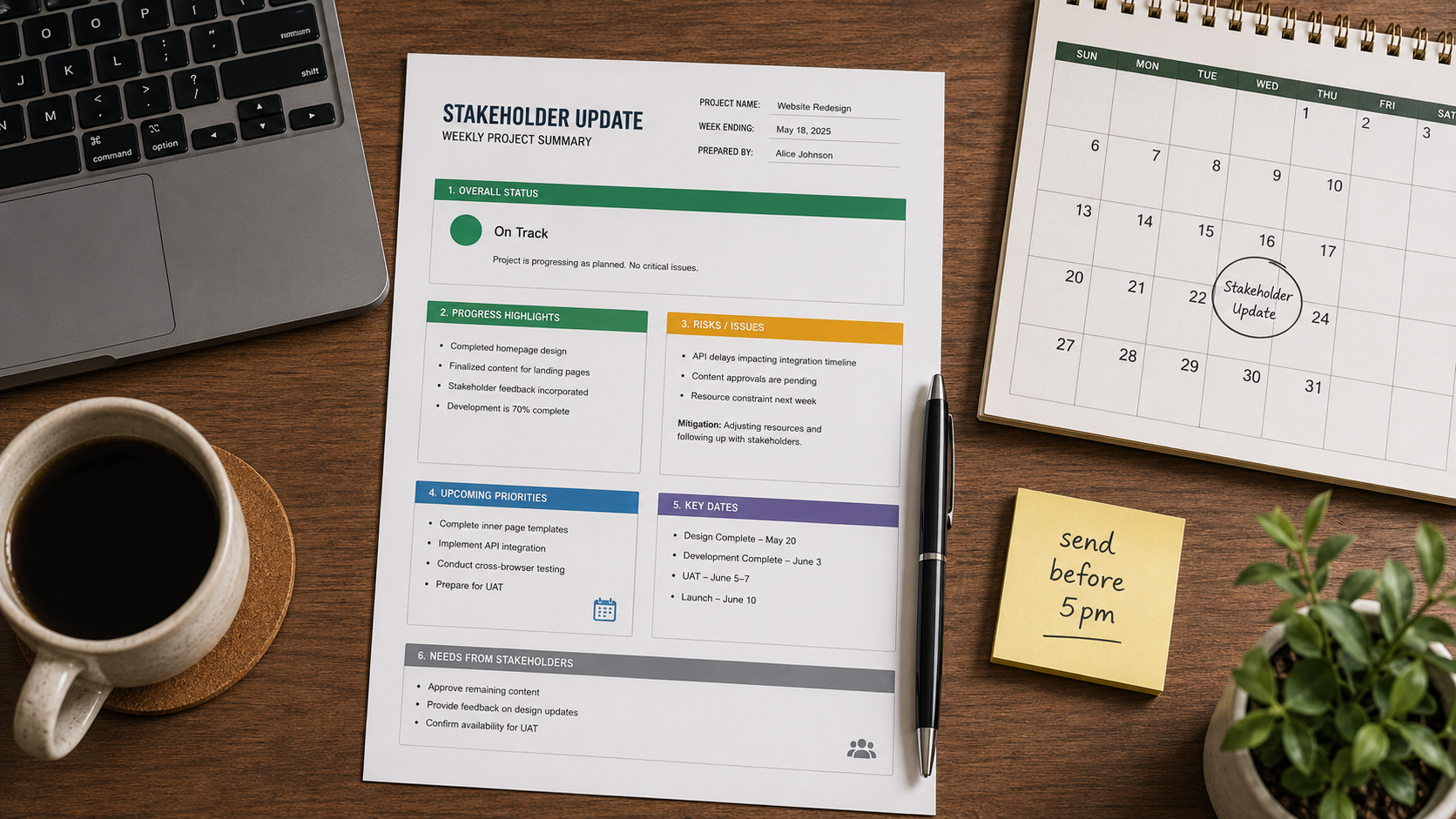
If your stakeholders keep asking for updates you already sent, escalating issues you already flagged, or misreading reports you spent an hour writing — the problem is not them.
The problem is that your reporting process is reactive. You send updates when something breaks, when someone asks, or when you finally find time between meetings. There is no system. There is only firefighting dressed up as communication.
A stakeholder reporting system changes that. It is not a template or a meeting cadence. It is a predictable, almost boring background process that runs on schedule regardless of how chaotic the project gets — and because of that, it eliminates most of the noise before it starts.
PMI research on project communication management shows that ineffective communication is a primary contributor to project failure in one-third of cases. You can read the full study here: PMI — Effective Communication, Better Project Outcomes. A structured stakeholder reporting system directly addresses that risk.
Table of Contents
- Why Reactive Updates Always Lose
- What a Stakeholder Reporting System Actually Looks Like
- The 5 Components Every Stakeholder Reporting System Needs
- Set the Cadence Before the Project Starts
- Standardize the Format, Not Just the Frequency
- Build an Exception Protocol for Real Escalations
- 3 Mistakes That Break a Stakeholder Reporting System
- One Practical Next Step
Why Reactive Updates Always Lose
Reactive communication creates three specific problems that compound over time.
First, it trains stakeholders to chase you. If they only get information when they ask, asking becomes their default behavior. Every silence is interpreted as a problem. You end up fielding the same Slack messages and hallway questions every week not because stakeholders are difficult but because you have not given them a reason to stop.
Second, reactive updates are always emotionally loaded. You send them when something goes wrong, which means every update carries the implicit message that you are behind something or managing a risk. Over time, stakeholders associate your updates with bad news. That makes them harder to read and harder to trust.
Third, reactive updates skip context. When you send an update under pressure, you focus on the immediate issue. You do not explain what was decided last week, what the current baseline is, or what the team is tracking against. Every new stakeholder who joins the thread has to read backwards through a mess of ad hoc messages to understand where the project stands.
A stakeholder reporting system solves all three. It gives stakeholders a reliable rhythm they can plan around, keeps updates emotionally neutral, and builds a running record that anyone can read to get current fast.
What a Stakeholder Reporting System Actually Looks Like
A stakeholder reporting system is not a fancier template or a longer update. It is the answer to five operational questions defined before the project starts:
- Who receives updates, and in what format?
- How often does each audience receive them?
- What does a standard update include?
- What triggers an exception update outside the schedule?
- Who owns the update — meaning, who writes it and who approves it before it goes out?
If you cannot answer those five questions without thinking about it, you do not have a stakeholder reporting system. You have a habit of sending emails.
The 5 Components Every Stakeholder Reporting System Needs
These are not suggestions. Every component that is missing from your stakeholder reporting system will eventually create a gap someone tries to fill with a Slack message or an emergency meeting.
| Component | What It Defines | Why It Matters |
|---|---|---|
| Audience Map | Who receives what level of detail | Prevents over-informing executives and under-informing delivery teams |
| Cadence Schedule | Fixed days and times for each update type | Removes the decision of “when to send” — it just happens |
| Standard Format | Consistent structure stakeholders can scan in under 2 minutes | Builds reading habits so stakeholders stop skimming and missing key points |
| Exception Protocol | Clear criteria for what breaks the schedule and triggers an immediate update | Prevents both over-escalation and under-communication on real risks |
| Ownership Rule | Who writes, who reviews, who sends | Prevents updates from depending on whoever has time that day |
Set the Cadence Before the Project Starts
The cadence is the core of any stakeholder reporting system. Without it, everything else is optional.
A basic cadence for a software project looks like this:
- Weekly summary — sent every Thursday before 5pm, regardless of project status. Covers what was completed, what is in progress, current blockers, and what is planned for next week. Goes to the full stakeholder list.
- Bi-weekly executive pulse — a two to three sentence summary sent every other Monday. No detail. Budget status, schedule status, one key risk. Goes to senior leadership only.
- Monthly status report — a structured document covering milestone progress, decisions made, budget vs. actuals, and upcoming risks. Goes to the project sponsor and any governance body.
The specific frequency matters less than the consistency. What breaks stakeholder trust is not getting a weekly update instead of bi-weekly. It is getting one update this week, nothing next week, then two in a row after something goes wrong. Irregular communication signals that the project is not under control even when it is.
Set the cadence in the project kickoff. Put it in the communication plan. Confirm it with stakeholders. Then run it on schedule whether the project is green, yellow, or red.
Atlassian covers the same principle in their guide on project status reports — the value of a status update comes from its regularity, not its length. Read it here: Atlassian — How to Write a Project Status Report.
Standardize the Format, Not Just the Frequency
A consistent format is what makes a stakeholder reporting system scannable. Stakeholders who receive updates on a fixed schedule and in a consistent format stop reading every word. They learn where to look for what they care about. That is a feature, not a failure.
A reliable weekly update format for most software teams includes these sections in this order:
- Status signal — one word or color: Green, Yellow, or Red. No paragraph explaining it yet.
- Completed this week — three to five bullet points. What shipped, what closed, what got resolved.
- In progress — what is currently being worked, with expected completion dates where relevant.
- Blockers and risks — only real ones. If there are none, say so explicitly. “No current blockers” is useful information.
- Next week focus — what the team is targeting in the next seven days.
- Decision needed (if any) — one line. If you need a stakeholder to decide something, name it clearly and give a deadline.
This format takes under ten minutes to write if the project is well-tracked. If it takes longer, the real problem is not the format — it is that the project data is not being maintained.
Keep the format identical every week. Do not reorganize it when you feel creative. Do not remove sections when the project is going well. Stakeholders build reading patterns around structure, and breaking the structure forces them to re-read everything to find what they need.
Build an Exception Protocol for Real Escalations
A stakeholder reporting system does not mean you only communicate on schedule. It means you define in advance what breaks the schedule.
Without an exception protocol, two failure modes appear. The first is over-escalation: every blocker becomes an urgent message, every risk becomes a stakeholder call, and stakeholders eventually start ignoring your alerts because they arrive too often. The second is under-communication: you stick rigidly to the schedule even when something critical happens, and stakeholders feel blindsided when the weekly update finally arrives with a red status and a three-paragraph explanation.
A clear exception protocol defines three things:
- What qualifies as an immediate escalation — a decision that cannot wait for the weekly update, a risk that materially changes the schedule or budget, a dependency that has just broken.
- Who gets the escalation — not the full list. The relevant decision-maker only.
- What format the escalation takes — a short, structured message: what happened, what the impact is, what options exist, what you are recommending, and what decision is needed by when.
Everything that does not meet the exception criteria waits for the scheduled update. That discipline is what makes stakeholders trust the schedule. If they know you will break it when something real happens, they stop inventing reasons to ask for early updates.
3 Mistakes That Break a Stakeholder Reporting System
Most PMs build a stakeholder reporting system and then quietly dismantle it over the first month. These are the three most common ways that happens.
1. Skipping updates when the project is green
When everything is on track, sending a weekly update feels unnecessary. Nothing to report. So you skip it. This is the fastest way to teach stakeholders that your silence means something is being hidden. Send the green update. “All on track, no blockers, next milestone on schedule” is a perfectly complete update. It takes two minutes and it keeps the rhythm intact.
2. Customizing each update for different audiences manually
If you are writing three different versions of the same update every week — one for the team, one for the sponsor, one for leadership — you will stop doing it within a month. Build one source update and define simple rules for what gets trimmed for each audience. Leadership gets the first three sections only. The delivery team gets the full document plus task details. The sponsor gets a one-paragraph summary pulled from the status signal and blockers section.
3. Letting the update depend on a specific person
If the weekly update only goes out when you personally write it, the system is fragile. Define who covers it when you are on leave, in a crunch sprint, or pulled into an incident. The system should survive your absence without anyone having to ask what to do.
One Practical Next Step
You do not need to rebuild your entire communication approach today. Start with one decision: pick a fixed day and time for your weekly stakeholder update and commit to it for the next four weeks without breaking the schedule.
Do not wait for a new project to start. Apply it to whatever you are currently running. Send the first update this week, even if the format is rough. The rhythm matters more than the polish in the early weeks.
If you want to go deeper on how AI fits into this workflow — specifically where it helps with drafting and where it creates a false sense of completion — the post on AI for stakeholder management covers the specific failure modes PMs run into when they hand off reporting to AI tools without a solid stakeholder reporting system underneath.
The system comes first. The tools come after.